
llmfit
Hundreds of models and providers. One command to find what runs on your hardware.
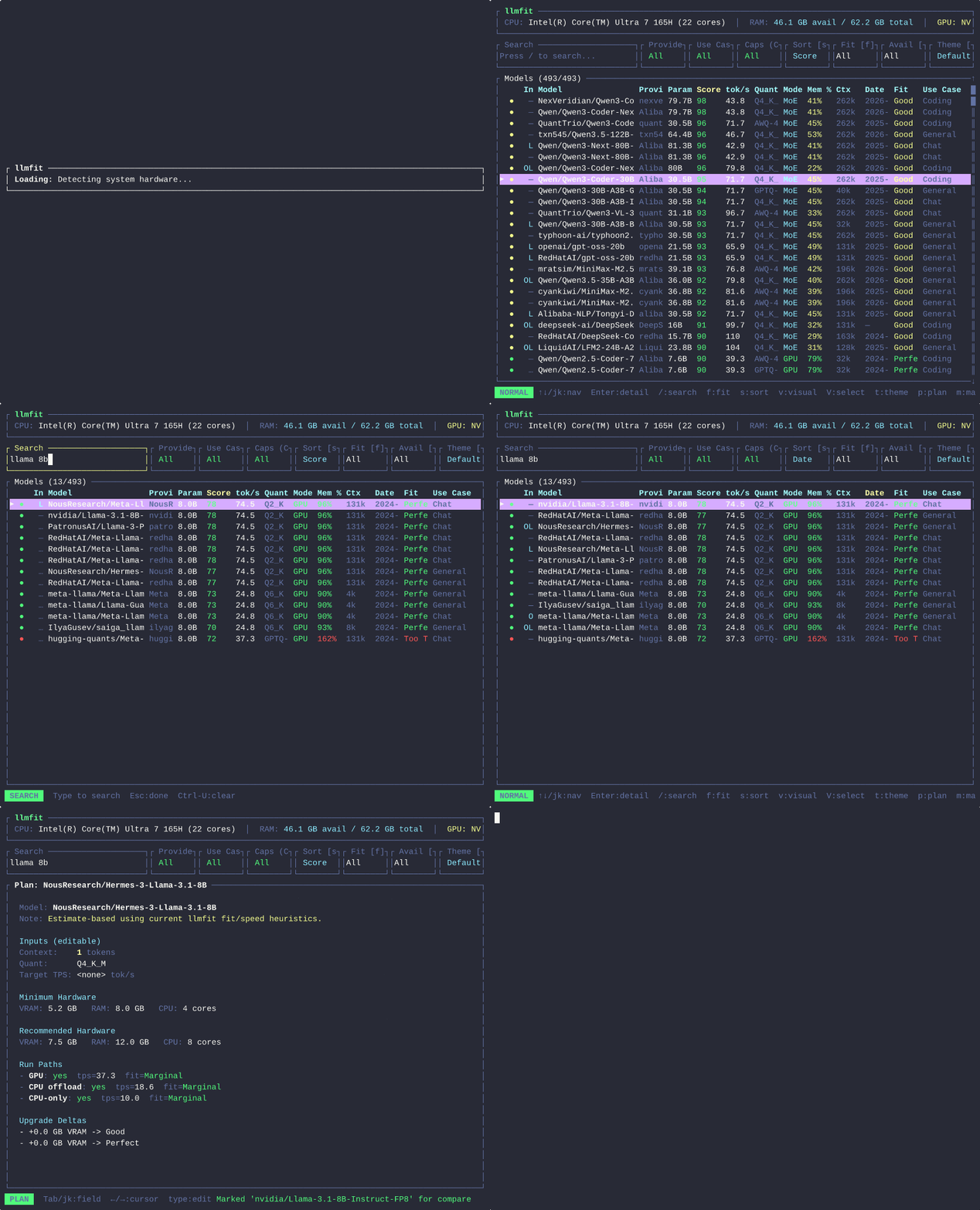
A terminal tool that right-sizes LLM models to your system's RAM, CPU, and GPU. Detects your hardware, scores each model across quality, speed, fit, and context, and tells you which models can actually run well on your machine.
Ships with an interactive TUI (default) and classic CLI mode. Supports multi-GPU setups, MoE architectures, dynamic quantization selection, speed estimation, and local runtime providers (Ollama, llama.cpp, MLX, Docker Model Runner, LM Studio).
Tip: 2 min to first result
Install
Windows
scoop install llmfitIf Scoop is not installed, follow the official Scoop install guide.
macOS / Linux
Homebrew
brew install llmfitQuick install
curl -fsSL https://llmfit.axjns.dev/install.sh | sh
curl -fsSL https://llmfit.axjns.dev/install.sh | sh -s -- --local
Docker / Podman
docker run ghcr.io/alexsjones/llmfit
podman run ghcr.io/alexsjones/llmfit recommend --use-case coding | jq '.models[].name'
From source
git clone https://github.com/AlexsJones/llmfit.git
cd llmfit
cargo build --release
Usage
TUI (default)
llmfit- Search and navigate with `j/k`, `/`, `Esc`, `PgUp/PgDn`, `g/G`.
- Cycle filters with `f`, `a`, and sort with `s`.
- Download/refresh via `d` and `r`, compare via `m`, `c`, `x`.
Vim-like modes
Normal mode
Default mode for navigation, search, filter, and opening views.
Visual mode (v)
Select a contiguous range of models for multi-compare view.
Select mode (V)
Column-based filtering for provider, params, quantization, mode, and use case.
TUI Plan mode (p)
Plan mode estimates required hardware for a selected model configuration, including VRAM/RAM recommendations and feasible run paths.
Themes
Press `t` in TUI to cycle themes. Theme is persisted automatically.
Web dashboard
Use `llmfit dashboard` to open the dashboard for recommendations and model exploration.
CLI mode
llmfit --cli
llmfit system
llmfit search "llama 8b"
llmfit recommend --json --limit 5
llmfit fit --perfect -n 5
REST API (llmfit serve)
llmfit serve --host 0.0.0.0 --port 8787
curl http://localhost:8787/health
curl http://localhost:8787/api/v1/system
curl "http://localhost:8787/api/v1/models/top?limit=5&min_fit=good&use_case=coding"
GPU memory override
llmfit --memory=24G --cli
llmfit --memory=32G fit --perfect -n 10
Context-length cap for estimation
llmfit --max-context 4096 fit --perfect -n 5
llmfit --max-context 8192 --cli
JSON output
llmfit recommend --json --use-case coding --limit 3
llmfit fit --json --perfect -n 5
How it works
- Detect system RAM, CPU cores, GPU VRAM and runtime provider availability.
- Load model metadata and quantization options from local model database.
- Estimate fit, quality, speed, and context to produce a composite score.
- Choose best quantization and run mode (GPU / CPU+GPU / CPU / MoE offload).
Model database
llmfit ships with a curated Hugging Face model database and computes scores for your detected hardware profile at runtime.
Project structure
src/main.rs        -- CLI args, entry, TUI launch
src/hardware.rs    -- RAM/CPU/GPU detection
src/models.rs      -- model DB and quantization logic
src/fit.rs         -- scoring and speed estimation
src/providers.rs   -- runtime provider integration
src/display.rs     -- CLI table + JSON output
src/tui_app.rs     -- app state and filters
src/tui_ui.rs      -- ratatui rendering
src/tui_events.rs  -- keyboard handling
data/hf_models.json -- model catalog
Publishing to crates.io
cargo publish --dry-run
cargo login
cargo publish
Ensure version bump, LICENSE file, and committed data/hf_models.json before publishing.
Dependencies
Core crates include clap, sysinfo, serde, serde_json, tabled, colored, ureq, ratatui, and crossterm.
Runtime provider integration
- Ollama
- llama.cpp
- MLX
- Docker Model Runner
- LM Studio